Prompt Writing Basics
Learn the fundamentals of AI image prompt structure and writing.
1. What is an AI Image Prompt?
An AI image prompt is a text instruction that tells an AI image model what kind of image to generate. Unlike chat prompts to a language model, image prompts are traditionally composed of comma-separated keywords (tags) that each describe a single visual element. The model reads these tags, matches them against concepts it learned from its training data, and synthesizes an image that tries to satisfy all of them at once.
Example: masterpiece, best quality, 1girl, long hair, blue eyes, school uniform
Each tag instructs the AI to include a specific visual element. Well-combined tags produce images closer to your vision; poorly combined ones produce something technically correct but aesthetically wrong. This guide teaches the difference.
2. Basic Prompt Structure
Effective prompts follow this ordering:
- Quality Tags
Set overall quality:
masterpiece,best quality,highres - Subject
Core subject:
1girl,landscape,city - Details
Appearance: hair color, eye color, clothing, pose
- Background
Scene:
outdoor,sunset,classroom - Style & Lighting
Mood:
cinematic lighting,anime style

step 1Subject and clothing only
step 2+ appearance and expression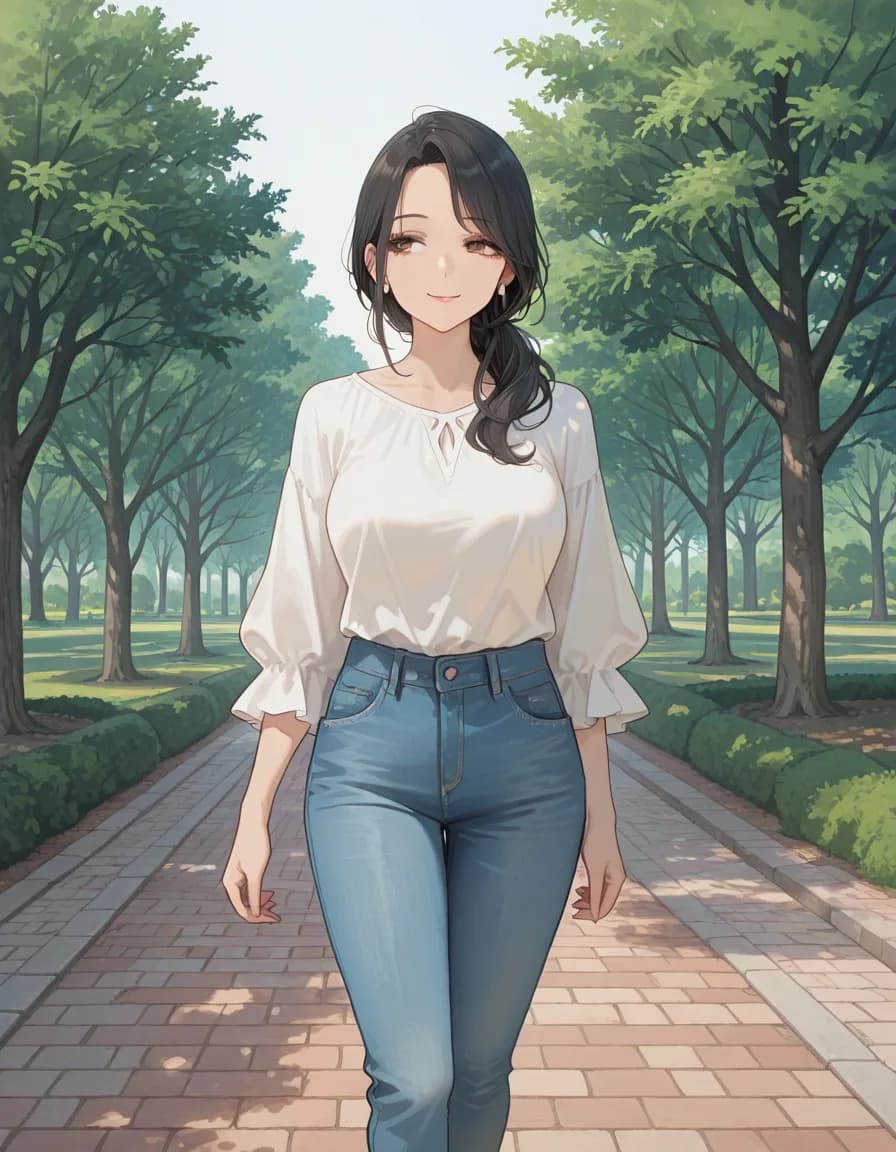
step 3+ pose and setting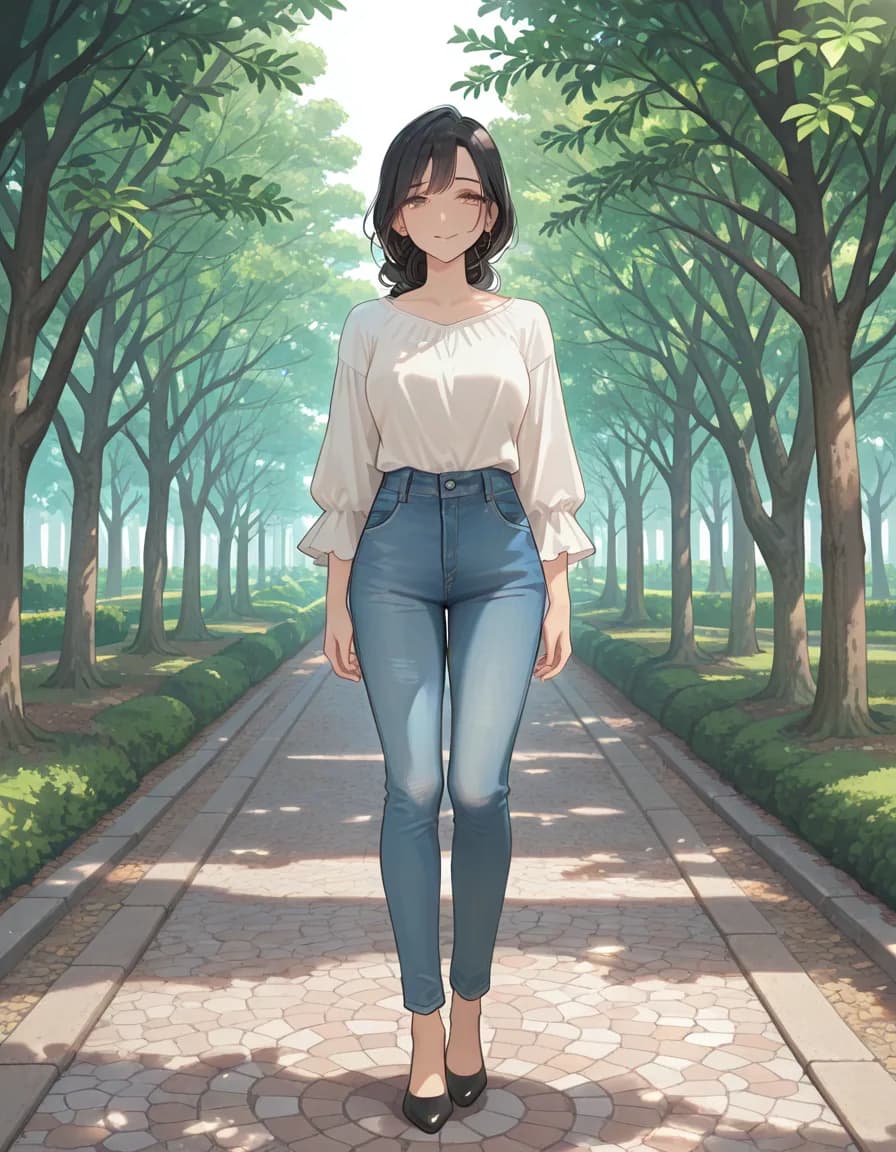
step 4+ light and framingNegative prompt
nsfw, nude, topless, bottomless, bikini, swimsuit, lingerie, underwear, panties, bra, cleavage, ass focus, breast focus, thigh focus, wet skin, suggestive, school uniform, pleated skirt, blazer, serafuku, child, loli, teenage, bad quality, worst quality, worst detail, sketch, censor, jpeg artifacts, watermark, signature, text, extra limbs, bad hands, bad anatomy, missing fingers, extra digits, deformed, mutated, blurry, lowres
Model
rinFlanimeIllustrious_v30 · euler_ancestral/normal · steps 28 · CFG 5 · 896×1152 · seed 777005
This comparison was measured on a single Stable Diffusion family checkpoint. The same tags can behave differently on NovelAI, Midjourney or another checkpoint — read it as a reference point, not a verdict.
🎨 Composition — Tag examples
masterpiece — Masterpiece
3. Tag Order Matters
Tags placed earlier carry more influence on the output.
Good Order
masterpiece, best quality, 1girl, long hair, blue eyesInefficient Order
blue eyes, long hair, 1girl, best quality, masterpiecePromgrammer's category order is already optimized. Selecting tags top-to-bottom produces well-ordered prompts. You can also drag and drop to reorder.
4. Good vs Bad Prompts
Good Prompt
masterpiece, best quality, 1girl, solo, long black hair, blue eyes, school uniform, standing, classroom, sunlight- - Quality first, clear subject, specific details, background defined
Bad Prompt
girl, pretty, nice, good, beautiful- - Vague, no quality tags, abstract adjectives only
5. Practical Tips
Be Specific
Use concrete visual tags like detailed eyes, soft lighting instead of abstract words.
15–25 Tags
Too many tags dilute each effect. Focus on key elements.
Use Negative Prompts
Always include basics like low quality, blurry, bad anatomy.
Use Promgrammer
1,700+ tags in 18 categories — click to build optimized prompts.
6. Token Budget — Why 15–25 Tags Works Best
AI image models don't count tags — they count tokens. A token is a chunk of text that the model's tokenizer treats as a single unit. Most common tags like masterpiece or 1girl are a single token. Compound or unusual tags such as baroque_costume can split into three or four tokens.
Stable Diffusion 1.5 has a hard 75-token limit per prompt segment. SDXL and newer models allow longer prompts, but practical quality plateaus around 150 tokens. That maps roughly to this guideline:
- 10 tags or fewer: Clear subject, but details feel sparse.
- 15–25 tags (sweet spot): Good balance between detail and focus. Recommended starting range.
- 30+ tags: Tags start competing with each other; image can look cluttered or inconsistent.
- 50+ tags: Only the first 5–10 carry real weight; the rest behave like weak suggestions.
If you find yourself past 25 tags, try removing synonyms or consolidating two specific tags (long_hair + black_hair) into one compound phrase the model already knows.
7. Before / After — Three Prompt Iterations
The fastest way to understand prompt refinement is to watch the same idea evolve across revisions. Each example below goes Before → After v1 → After v2, with short notes on what changed.
Example 1 — Portrait
girl, beautiful, nice, prettymasterpiece, best_quality, 1girl, long_black_hair, blue_eyes, school_uniform, standing, classroom, soft_sunlight, portrait(masterpiece:1.2), best_quality, absurdres, 1girl, solo, long_black_hair, blue_eyes, school_uniform, standing, classroom, afternoon_light, looking_at_viewer, gentle_smile, detailed_face, cinematic_lighting, bokeh, portrait, depth_of_fieldAdded quality tags → disambiguated subject (solo) → specified time-of-day and expression → boosted the single most important token with weight syntax.
Example 2 — Landscape
landscape, pretty, mountainmasterpiece, best_quality, highres, landscape, snow_capped_mountain, alpine_lake, golden_hour, volumetric_fog, cinematic_composition, wide_shot, depth_of_field, realistic, 8k_wallpaperReplaced abstract "pretty" with concrete environmental details, added time-of-day, framing, and a resolution hint.
Example 3 — Character Full Body
anime girl, fighting, coolmasterpiece, best_quality, absurdres, 1girl, solo, full_body, combat_pose, dynamic_action, flowing_hair, leather_armor, fantasy_sword, glowing_eyes, intense_expression, dark_forest_background, moonlight, rim_lighting, motion_blur, from_belowSpecified framing (full_body), pose, outfit, prop, background, lighting, and camera angle — all dimensions the Promgrammer category split encourages you to think about separately.
8. Five Common Beginner Mistakes
- Writing prompts as sentences. "A beautiful girl with long hair standing in a forest" works for Midjourney and DALL·E, but on Stable Diffusion or NovelAI you want comma-separated tags instead. If you're not sure which model expects which style, default to tags — they degrade gracefully.
- Forgetting commas.
long hair blue eyesmight be parsed as a single concept. Always separate tags with a comma and a space, even inside category groups. - Leaving the negative prompt empty. A good negative prompt is the single biggest quality lever most beginners skip. Start with
low_quality, blurry, bad_anatomy, extra_fingers, watermark, textand you'll already see fewer distorted hands and overlayed logos. - Dropping quality tags entirely. Even a single
masterpieceat position 1 measurably improves fine-tuned models. The cost is one token; the benefit is real. - Over-using weight syntax. Putting
(tag:1.3)on three or four tags at once cancels itself out — the model just biases the whole prompt and loses specificity. Boost at most one or two critical tags.
9. Frequently Asked Questions
Q.Do tags have to be in English?
Yes, for almost all models. Stable Diffusion, NovelAI, and Midjourney were trained predominantly on English-labeled datasets. Korean, Japanese, and Chinese tags work inconsistently at best. Promgrammer shows every tag's Korean label alongside the English one so you can read meaning while the copied prompt stays in English.
Q.Can I use spaces instead of commas?
Model-dependent. Stable Diffusion WebUI forks mostly require commas. NovelAI accepts both but recommends commas. Midjourney prefers natural-language phrases and doesn't care about commas. When in doubt, use commas.
Q.Does repeating the same tag multiple times strengthen it?
In most modern models, no. Repetition used to work in SD 1.x but is largely neutralized in SDXL and later. Use explicit weight syntax like (tag:1.2) if your model supports it, or simply move the tag closer to the front of the prompt.
Q.Does the order of quality tags matter?
Yes. Quality tags carry more weight when placed at position 1–2 than if they sit in the middle of the prompt. Keep masterpiece, best_quality as the opening pair unless a specific model's documentation says otherwise (e.g. Pony Diffusion's score_9, score_8_up).
Q.Do free and paid models respond to tags the same way?
No. Free SDXL models (base, Juggernaut, RealVisXL) and paid NovelAI respond very specifically to Danbooru-style tags. Midjourney and DALL·E 3 prefer natural language. Flux sits in between. Use Promgrammer as the starting point and adapt the final string to your target model's preferred format.