Negative Prompt Guide
Learn how negative prompts work to remove unwanted elements from generated images.
1. What a negative prompt actually does
A negative prompt is the companion text that tells the model what not to include. Under the hood, it's implemented by classifier-free guidance (CFG): the model computes two predictions — one with the positive prompt, one with the negative — and steers away from the negative. That means your negative prompt isn't just a wishlist; it actively shapes the final sampling direction on every step.
Positive Prompt
“Draw this”
masterpiece, 1girl, smileNegative Prompt
“Don't draw this”
low quality, blurry, bad anatomyFun fact: Many experienced users report that a good negative prompt has more impact on final quality than doubling the positive token count.
2. The basic set — universal baseline
Start every project with this set. It covers the three most common failure modes: low sample quality, anatomical errors, and unwanted overlays (watermarks, text).
Universal basics
low quality, worst quality, normal quality, poorly drawn, blurry, lowres, jpeg artifacts, watermark, signature, text, error, logo, username, artist name
Anatomy add-on (any character)
bad anatomy, bad hands, missing fingers, extra fingers, fused fingers, extra limbs, missing limbs, deformed, disfigured, mutation, mutated, cross-eyed, bad proportions
Sizing: Keep the basic set under 20 tokens. Anything more starts to restrict creativity — the model literally has fewer directions it can go.
🚫 Negative Prompt — Tag examples
poorly_drawn — Poorly Drawn
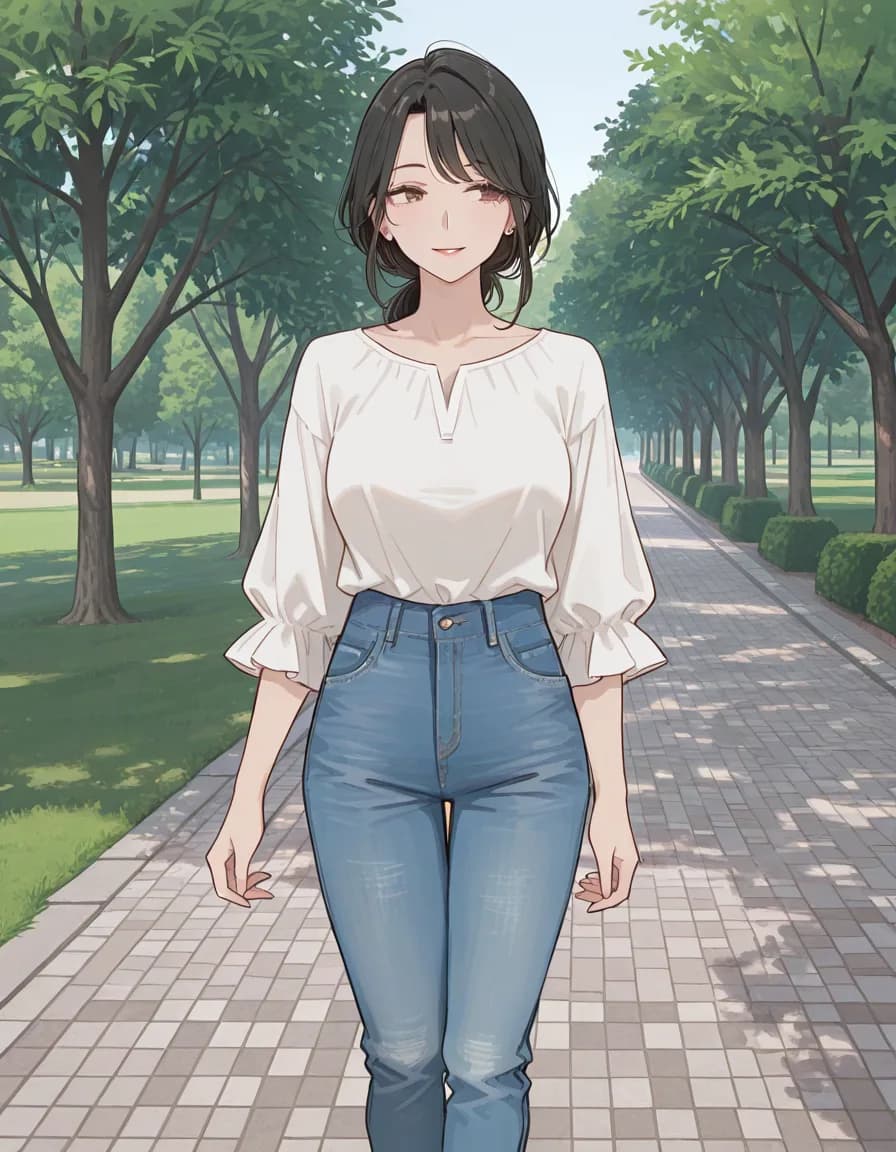
noneSafety guard only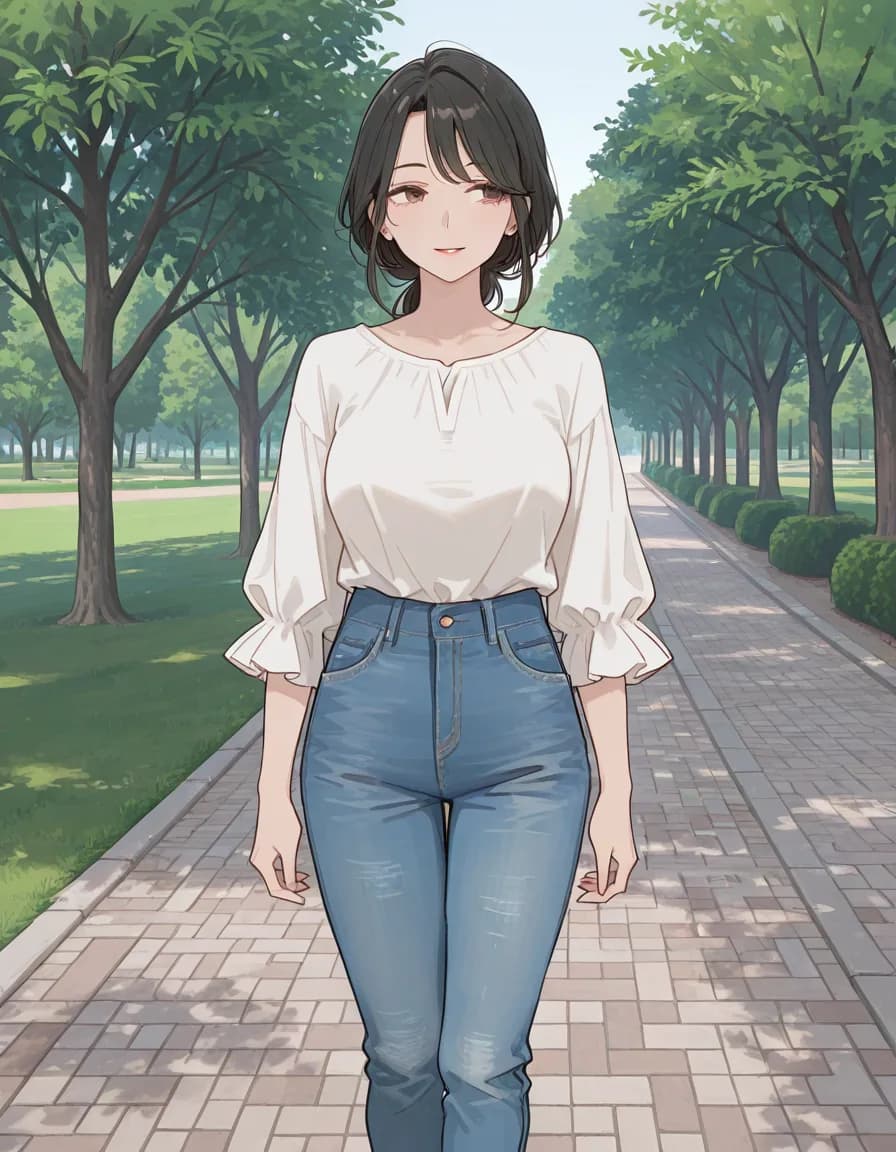
guard only+ anatomy terms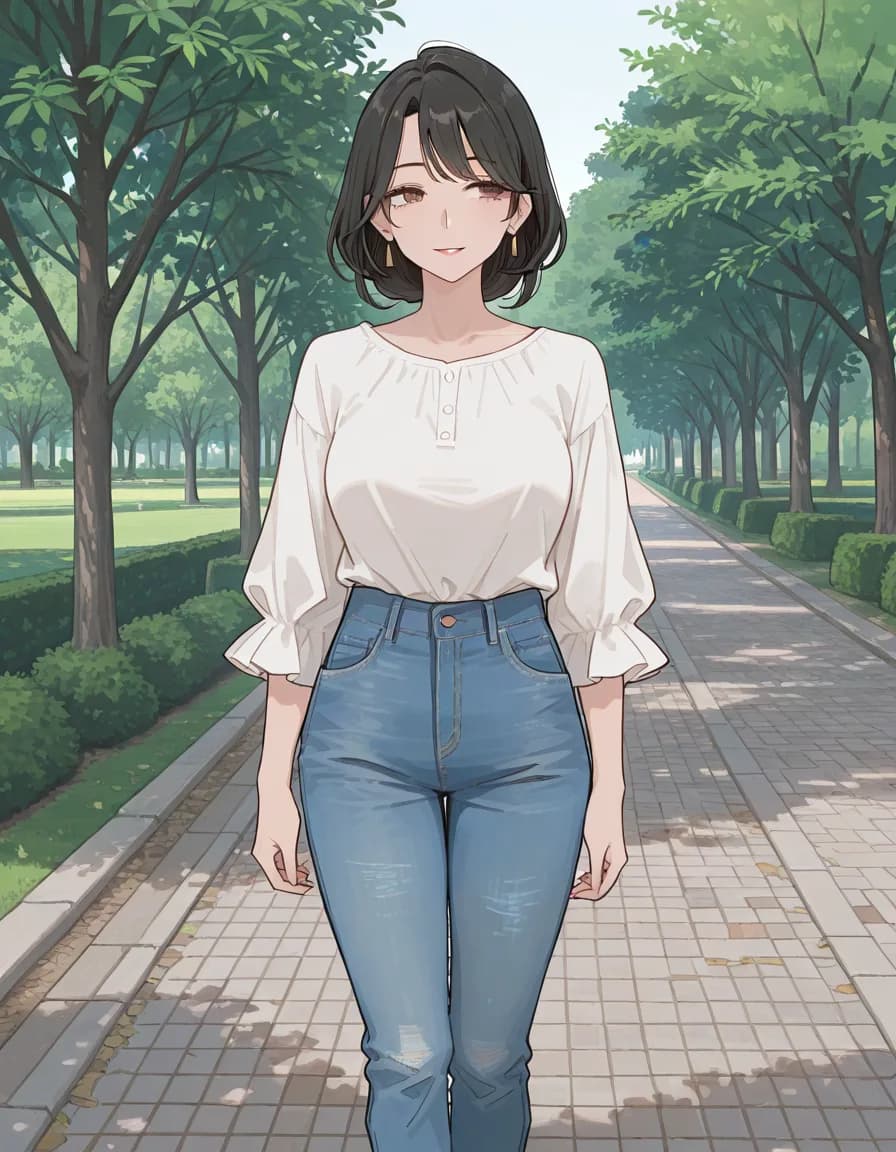
quality terms+ quality terms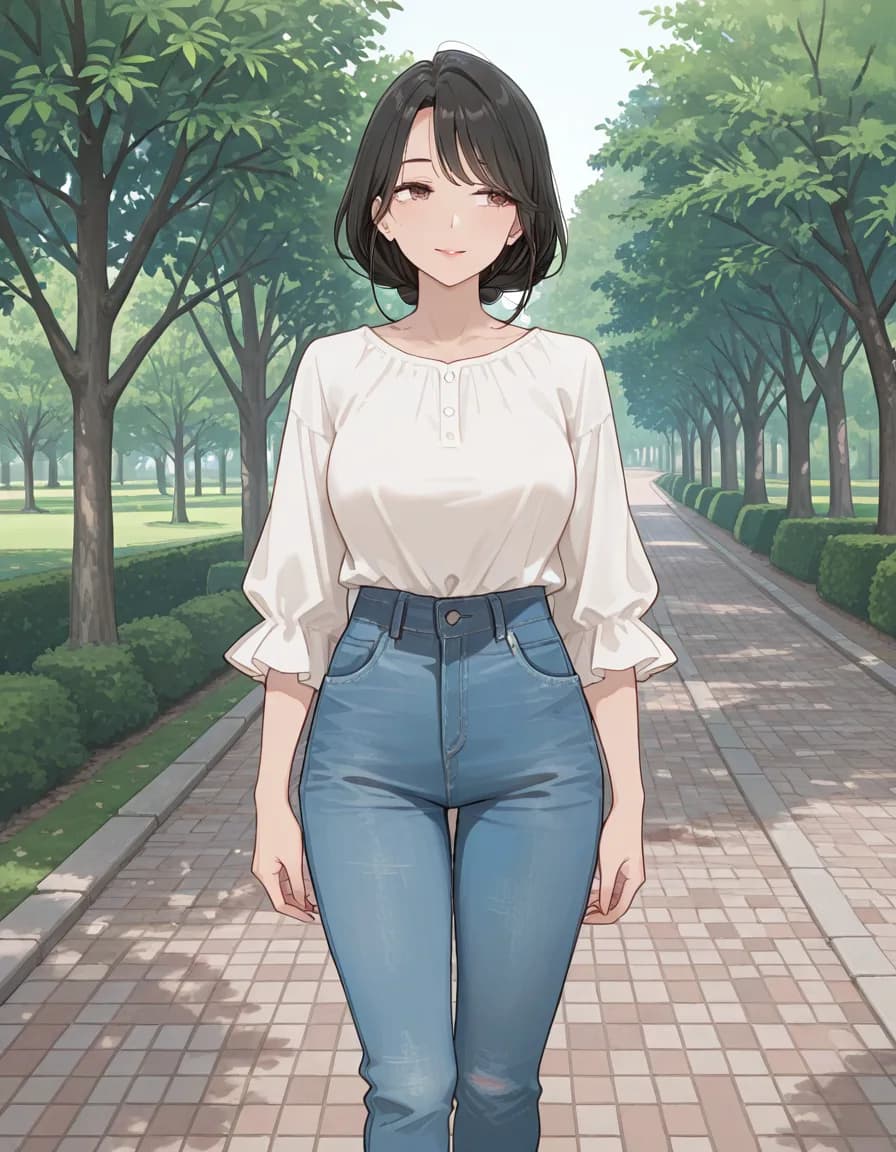
full stackFull stackModel
rinFlanimeIllustrious_v30 · euler_ancestral/normal · steps 28 · CFG 5 · 896×1152 · seed 777004
This comparison was measured on a single Stable Diffusion family checkpoint. The same tags can behave differently on NovelAI, Midjourney or another checkpoint — read it as a reference point, not a verdict.
3. The advanced set — when the basic isn't enough
Add these when you consistently see specific problems. Don't stack everything at once — add one group at a time.
Face details
asymmetric eyes, cross-eyed, wonky eyes, misaligned eyes, ugly face, bad face, deformed face, distorted face, plastic face
Hands & feet
bad hands, mutated hands, poorly drawn hands, extra fingers, missing fingers, bad feet, extra toes, fused toes, long fingers, short arms, long arms
Framing / cropping
out of frame, cropped, cut off, off-center, bad framing, poorly cropped, head out of frame
Duplication
duplicate, clones, tiling, repeating pattern, multiple heads, twin body, fused bodies
Aesthetic cleanup
oversaturated, overexposed, underexposed, harsh shadows, motion blur (unintended), grainy, noisy, purple fringing
🚫 Negative Prompt — Tag examples
poorly_drawn — Poorly Drawn
4. Five situational templates
Copy these directly. Each template combines the basic set with the specific hazards of that scene type.
Template 1 — Portrait
low quality, worst quality, blurry, jpeg artifacts, watermark, text, bad anatomy, bad hands, missing fingers, extra fingers, cross-eyed, asymmetric eyes, plastic face, ugly, deformed, out of frame, cropped
Biggest risks: face anatomy, hand anatomy, cropping.
Template 2 — Landscape
low quality, worst quality, blurry, oversaturated, cartoon, anime, watermark, text, logo, people, person, human, buildings (unless intended), duplicate, tiling, deformed terrain
Biggest risks: unintended subjects, over-saturation, tiling.
Template 3 — Anime / Illustration
low quality, worst quality, normal quality, lowres, bad anatomy, bad hands, missing fingers, extra fingers, extra limbs, ugly, deformed, text, watermark, signature, artist name, username, realistic (if you want anime), photo, 3d
Biggest risks: style drift toward realism, artist signatures, common Booru-label junk.
Template 4 — Photorealism
low quality, worst quality, blurry, jpeg artifacts, watermark, text, cartoon, anime, illustration, painting, 3d render, plastic skin, waxy skin, airbrushed, deformed, bad anatomy, bad hands
Biggest risks: style drift toward illustration, plastic skin, airbrush look.
Template 5 — Cyberpunk / Neon
low quality, worst quality, blurry, watermark, text, daytime, clear sky, sunny, rural, nature (unless intended), medieval, fantasy armor, boring composition, flat lighting
Biggest risks: daytime/rural drift, flat lighting, wrong genre props.
5. Model-specific caveats
- SDXL / A1111: All of the above works directly. Put the full negative prompt in the negative field.
- NovelAI: Use the UC (Undesired Content) field. Their preset "Heavy" option covers most of the universal basic set.
- Animagine XL / Pony V6: Include
lowres, bad anatomy, bad hands, text, error, missing fingers, extra digit, fewer digits, cropped, worst quality, low quality, normal quality, jpeg artifacts, signature, watermark, username, blurry(recommended preset). - Flux.1-dev / schnell: Negative prompts are not supported. Use positive phrasing instead ("clean skin" rather than negative "blemishes").
- Midjourney: Use
--noflag.--no text, watermark, blurry, low qualityis the common shorthand.
6. Attribute leakage — when negatives backfire
A negative prompt can leak into the positive and remove things you wanted:
- Color leak: If you want
red hair, do not putredin the negative — the model may remove red altogether. Be specific:red dressonly. - Subject leak: Putting
personin the negative kills your character. Be specific:crowd, background people. - Style leak:
paintingin the negative will remove all painterly qualities — fine for photos, bad for illustrations.
7. Iteration workflow
- Start with the basic set + one situational template.
- Generate 4 images, identify the worst common problem.
- Add 1–2 specific negative tokens targeting that problem.
- Regenerate with the same seed. If the problem persists, the issue is probably in the positive prompt, not the negative.
- Save your winning combo in Promgrammer for reuse.
8. Related
For more context on when and why these tokens matter: Quality Tags Deep Dive, Model Comparison.