Composition & Quality Tags Guide
Learn how quality, art style, and resolution tags work and how to use them effectively.
1. Quality Tags — A Deep Dive
Quality tags nudge the model toward the higher-scoring part of its training set. Place them at the very beginning of your prompt, because their influence drops sharply as they move toward the middle or end. They are not magic words, and on a strong modern checkpoint they are not a large lever either — the grid below stacks them one at a time at a fixed seed, and the difference between worst quality and the full stack is hard to see.
masterpiece
The most widely used quality tag across booru-trained models. Instructs the AI to target the upper tier of its training distribution — roughly the top 10% by aesthetic score. Almost always placed first. It is reported to improve fine detail and lighting coherence on SDXL and NovelAI v3; on the Illustrious checkpoint we measured, pairing it with best_quality produced no visible gain.
best quality / amazing quality
Partners with masterpiece. The combination masterpiece, best quality is the single most common opening pair across community prompts — not because it's magical, but because most fine-tunes were annotated with it during training.
highres / absurdres / 4k / 8k / 8k_wallpaper
Resolution hints that nudge the model toward producing more fine-grained detail. Pick one, not three — stacking them rarely helps and sometimes pushes the output into over-sharpened or noisy territory. absurdres is the stronger variant specific to Danbooru-style training, often used in anime models for illustration-quality outputs.
detailed / intricate_details / super_detail
Encourages fine texture work — hair strands, fabric weave, scene props. Useful as a secondary quality booster after the masterpiece pair. Leans heavily on the model's ability to render micro-detail, so strongest on SDXL and later.
🎨 Composition — Tag examples
masterpiece — Masterpiece
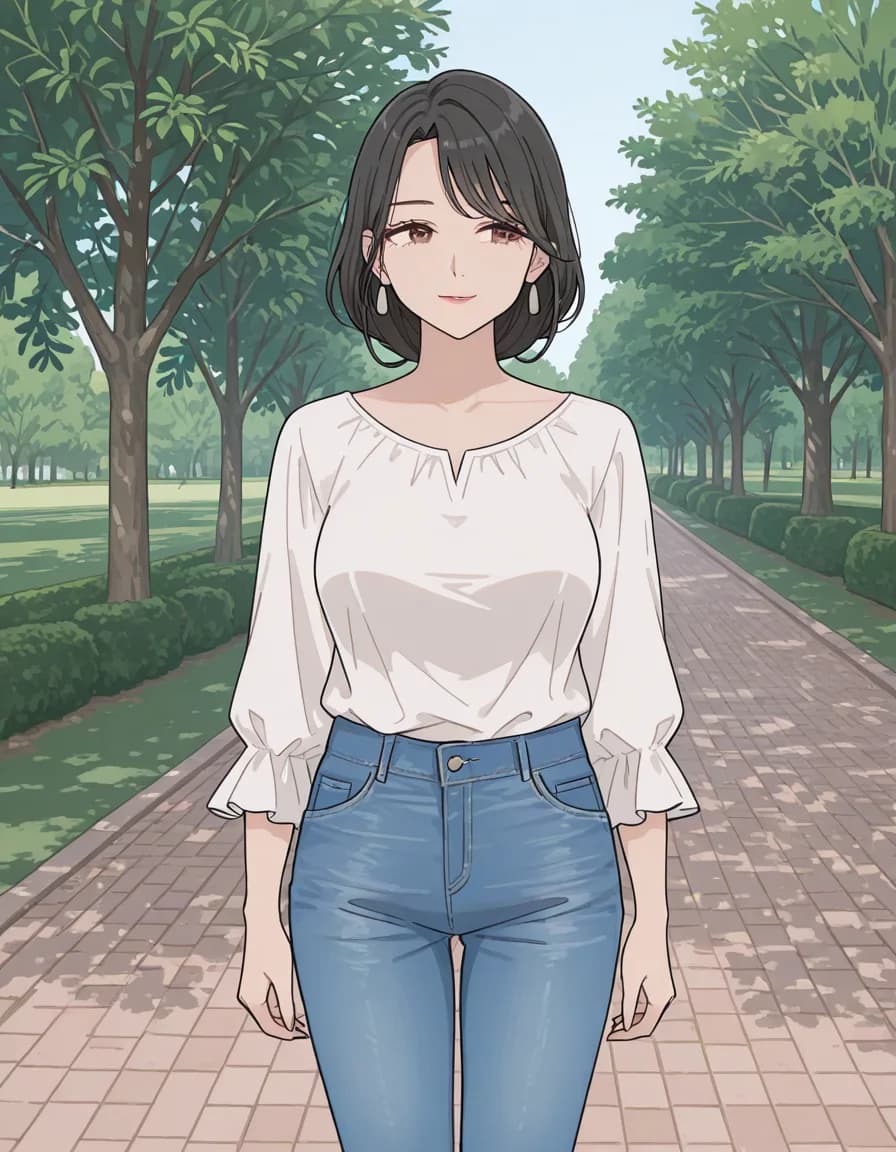
worst qualityThe opposite end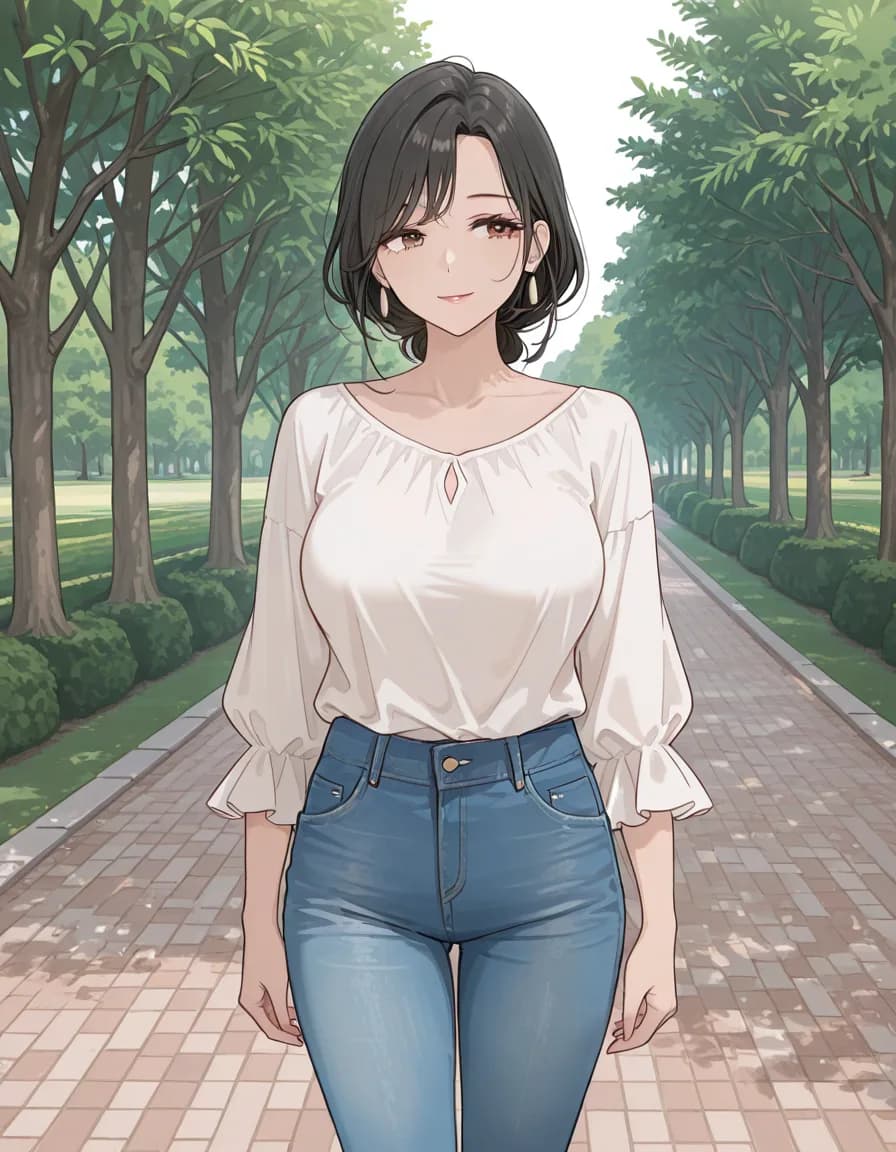
masterpieceOne token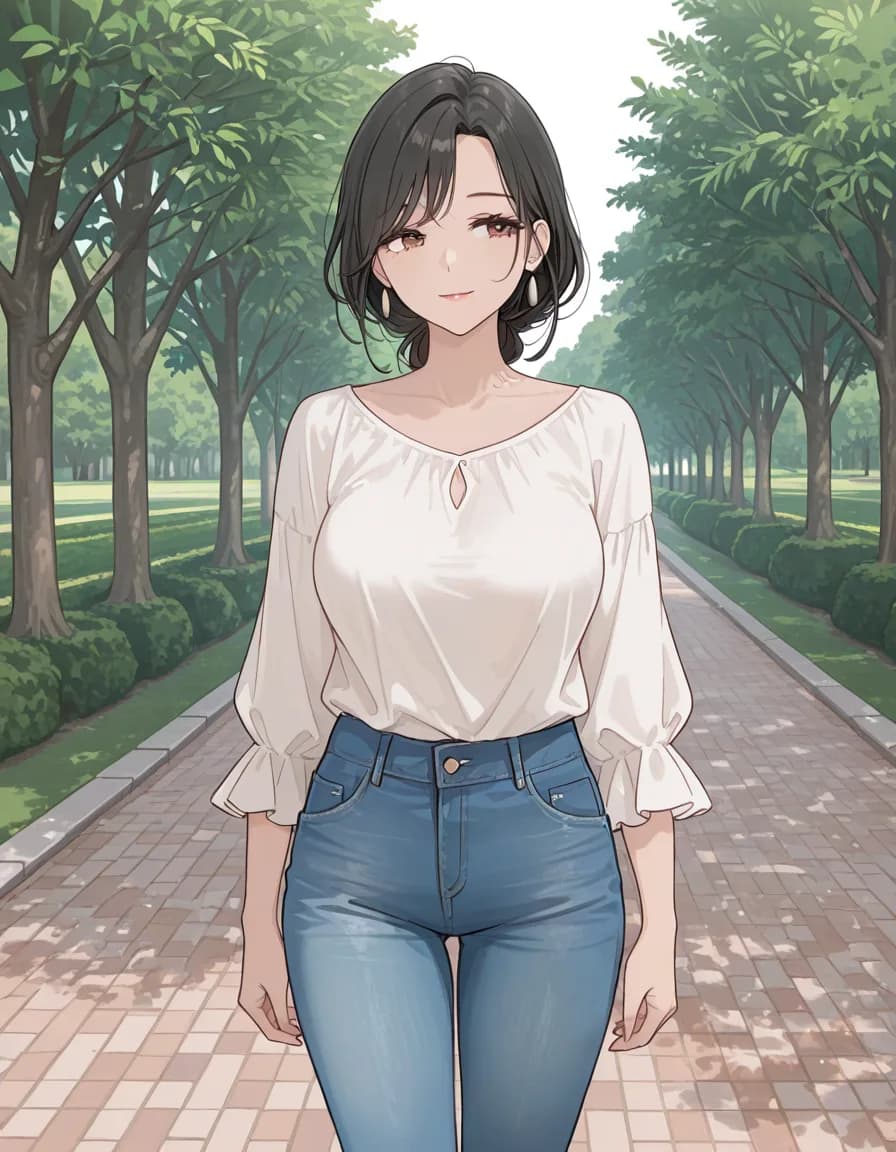
masterpiece, best qualityTwo tokens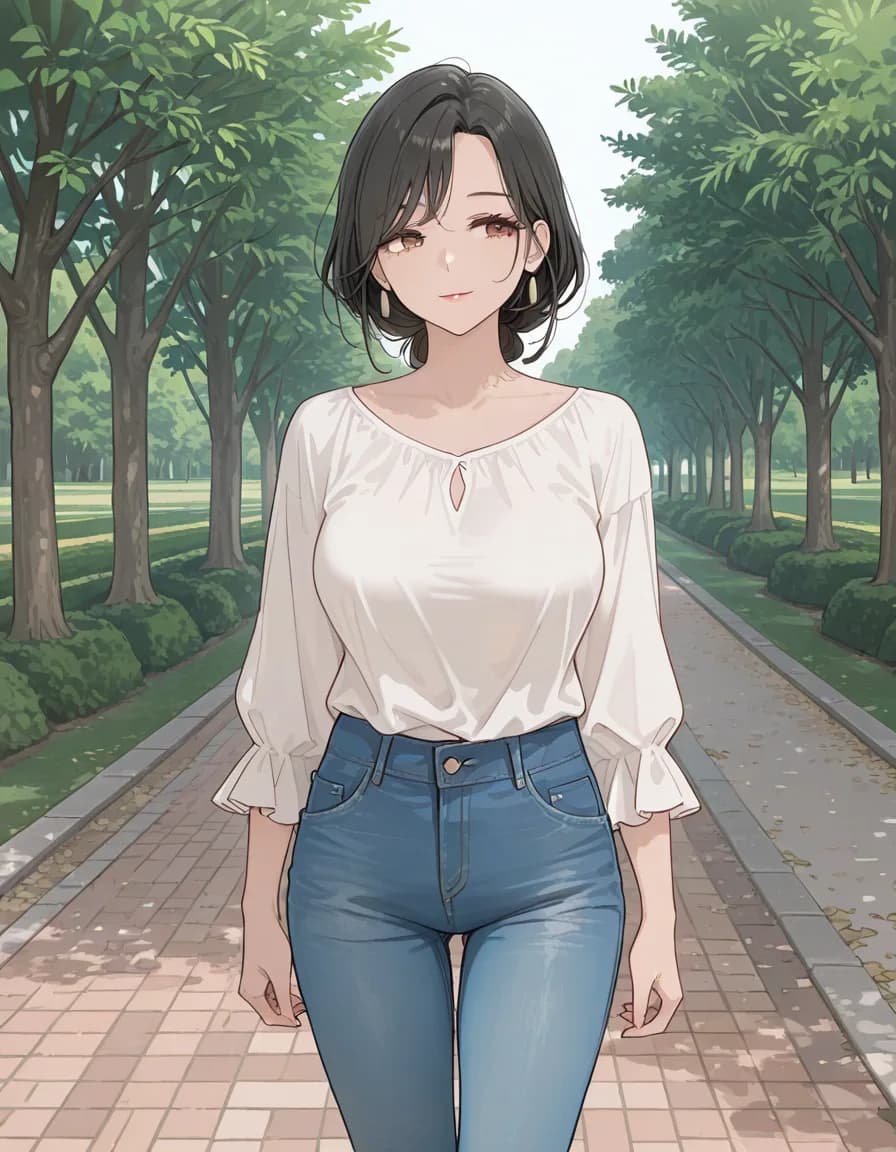
masterpiece, best quality, amazing quality, very awaFour (full stack)Shared prompt
1girl, solo, mature female, adult woman, short black hair, brown eyes, white blouse, blue jeans, standing, park path, <tag slot>
Negative prompt
school uniform, pleated skirt, blazer, serafuku, child, loli, teenage, censor, watermark, signature, text, extra limbs, bad hands, bad anatomy
Model
rinFlanimeIllustrious_v30 · euler_ancestral/normal · steps 28 · CFG 5 · 896×1152 · seed 777003
This comparison was measured on a single Stable Diffusion family checkpoint. The same tags can behave differently on NovelAI, Midjourney or another checkpoint — read it as a reference point, not a verdict.
2. Art Style Tags
Art style tags define the visual aesthetic and override most other stylistic hints. The same subject rendered as anime, oil_painting, or photorealistic produces three completely different images. Pick one style family per prompt and stick with it — mixing across families is one of the main causes of muddy, averaged-out outputs.
realistic / photorealistic / semi-realistic
Photographic results. Strongest on SDXL realistic fine-tunes (Juggernaut, RealVisXL) and Flux.
anime / manga / illustration
Japanese-animation-style rendering. Dominant on NovelAI, AnythingV5, Animagine XL, Pony (with adjustments).
pixel_art / 8bit / 16bit
Retro-game rendering. Best combined with low_resolution or a small output size — at high res it stops looking like pixel art.
watercolor / oil_painting / ink_wash
Traditional-media textures. Works on most modern SDXL models; pair with related media tags like visible_brush_strokes.
🎨 Composition — Tag examples
game_cg — Game CG
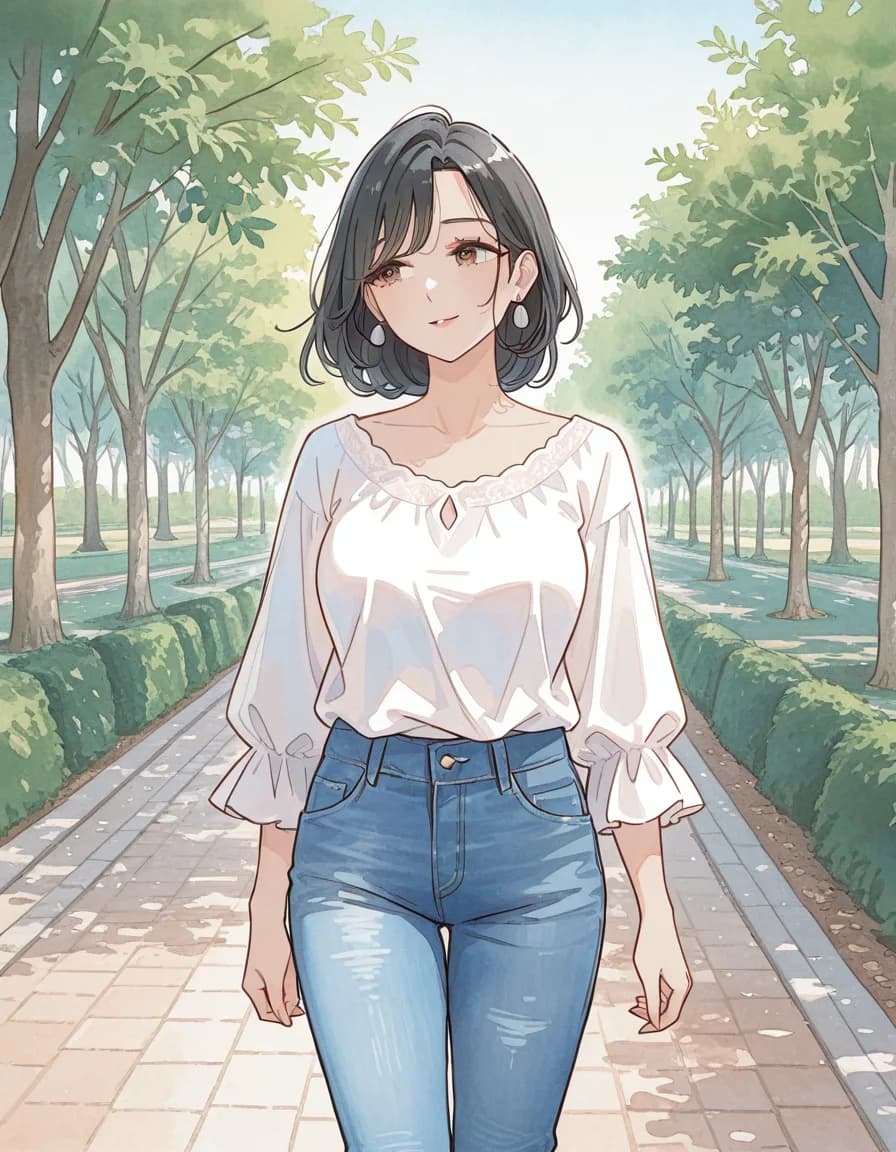
watercolor (medium)Watercolor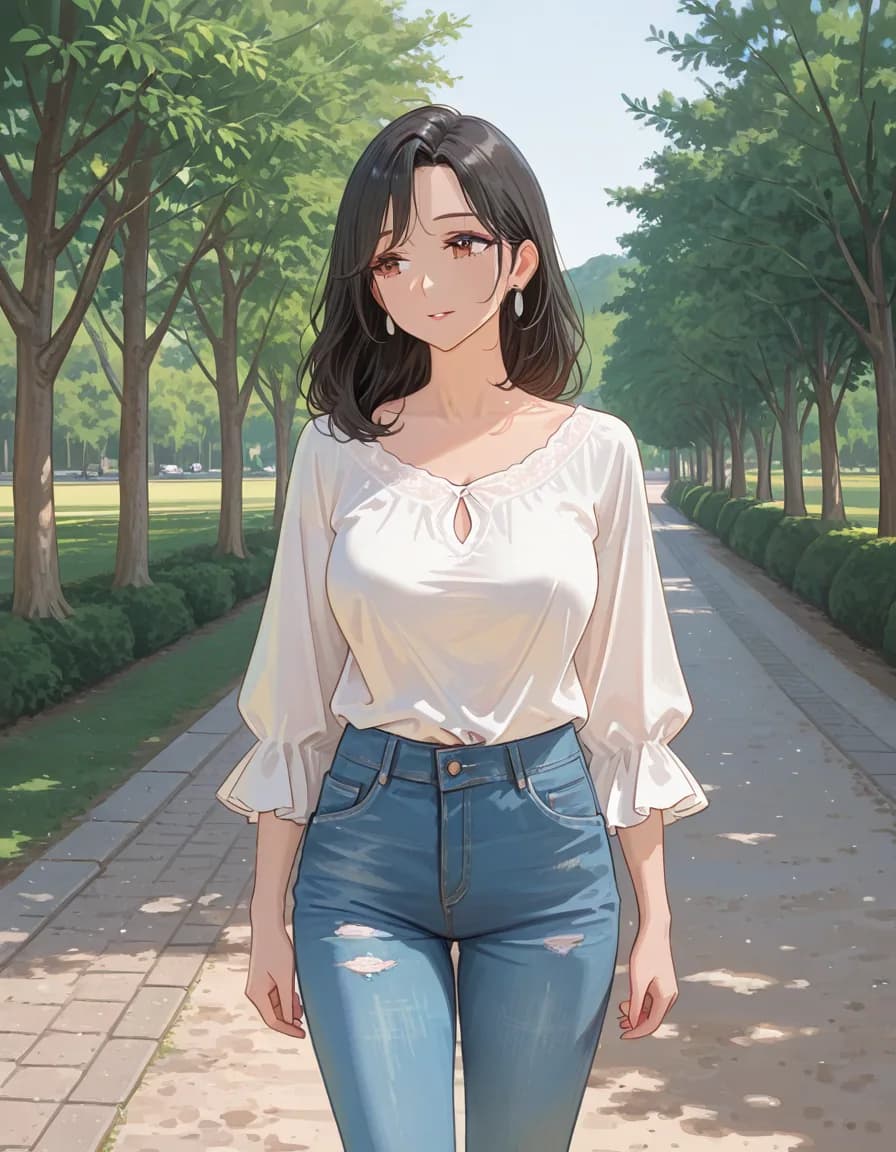
oil painting (medium)Oil painting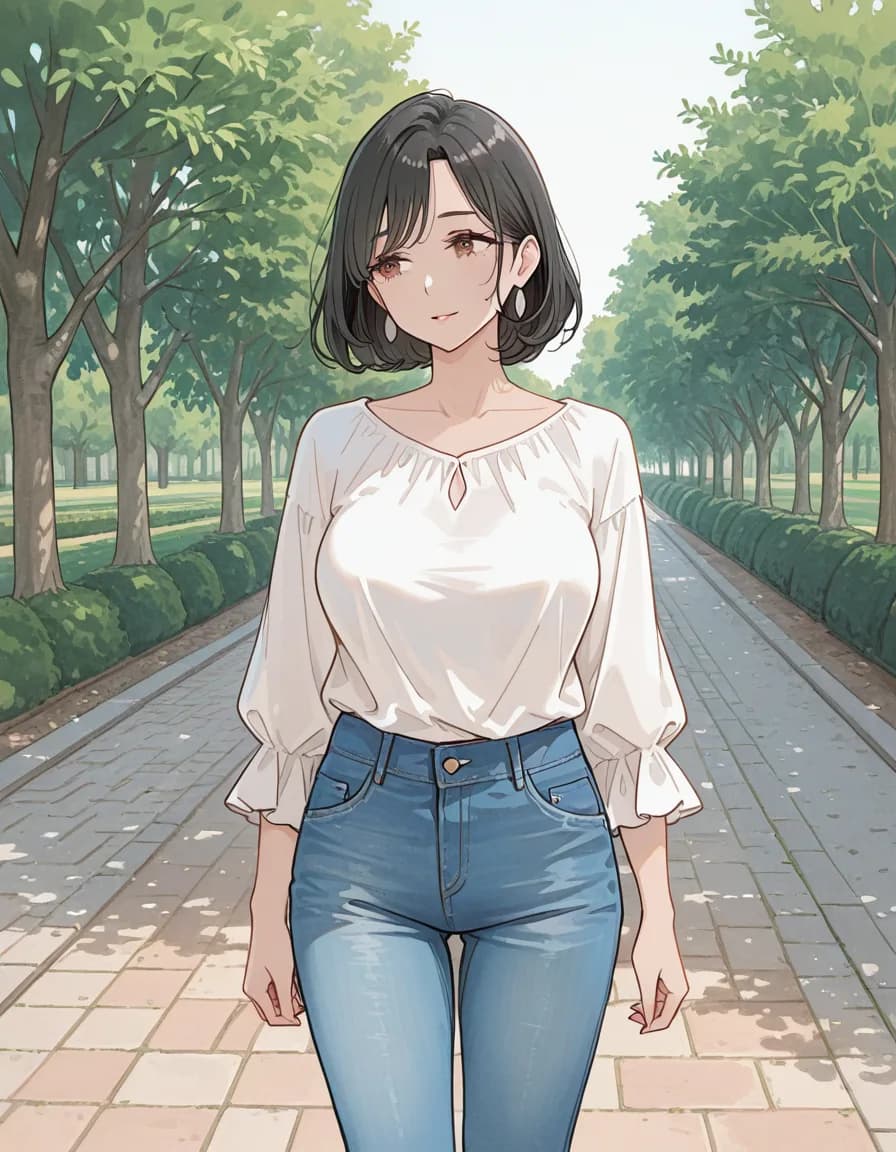
traditional mediaTraditional media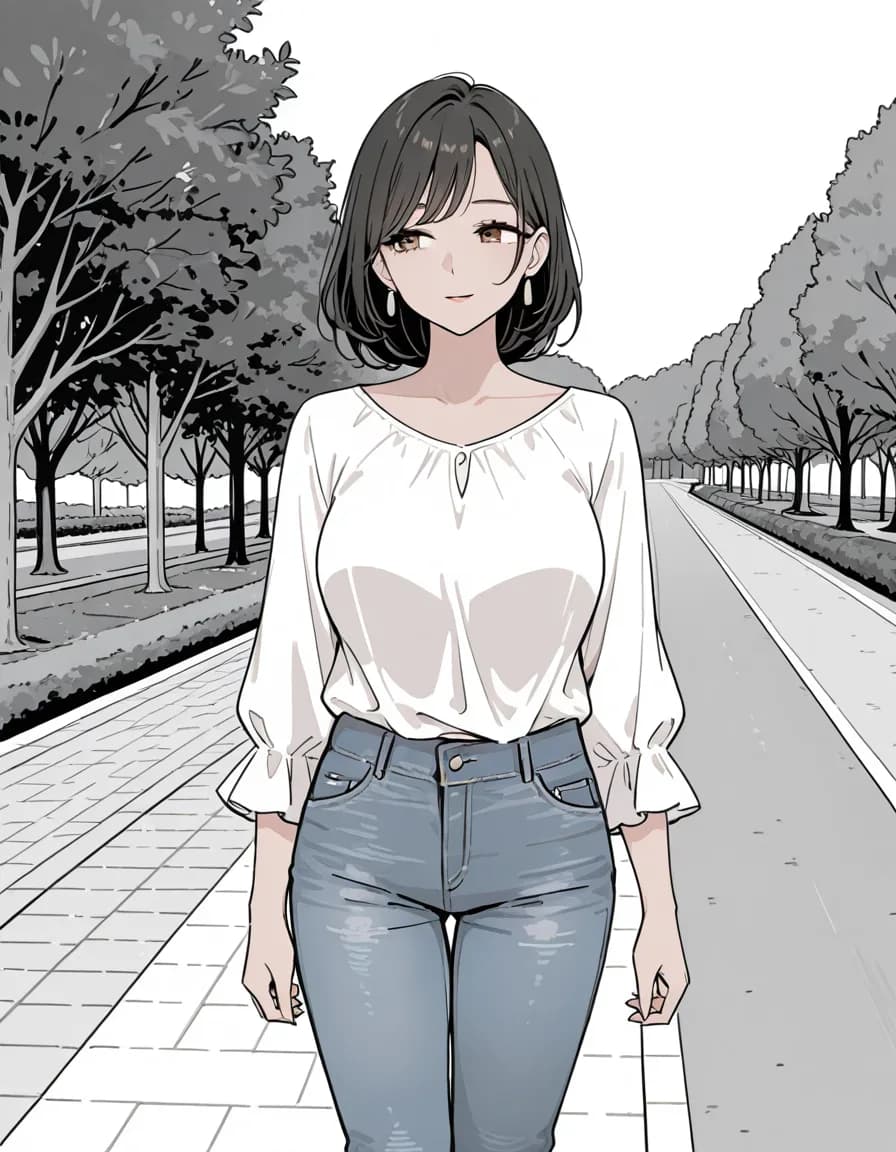
greyscaleGreyscaleShared prompt
1girl, solo, mature female, adult woman, short black hair, brown eyes, white blouse, blue jeans, standing, park path, <tag slot>
Negative prompt
school uniform, pleated skirt, blazer, serafuku, child, loli, teenage, bad quality, worst quality, worst detail, censor, jpeg artifacts, watermark, signature, text, extra limbs, bad hands, bad anatomy
Model
rinFlanimeIllustrious_v30 · euler_ancestral/normal · steps 28 · CFG 5 · 896×1152 · seed 777003
This comparison was measured on a single Stable Diffusion family checkpoint. The same tags can behave differently on NovelAI, Midjourney or another checkpoint — read it as a reference point, not a verdict.
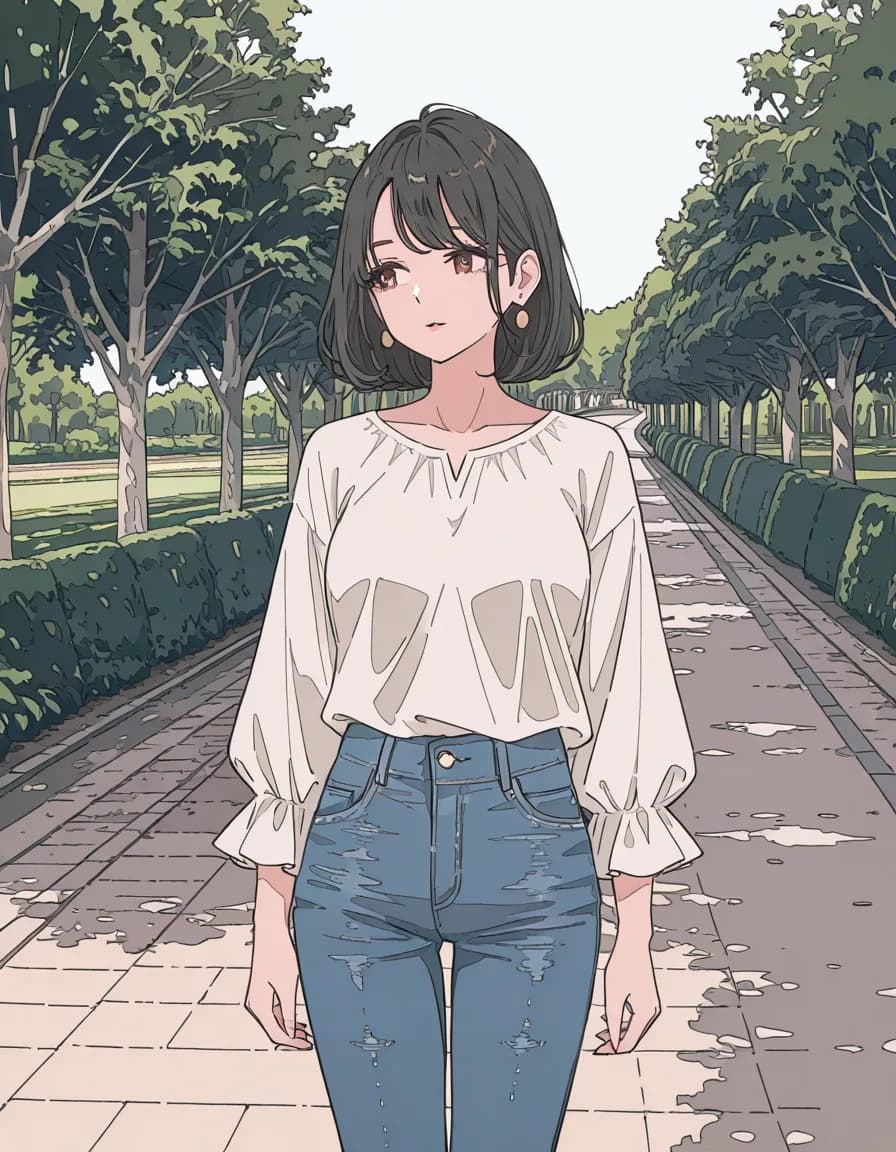
ligne claireLigne Claire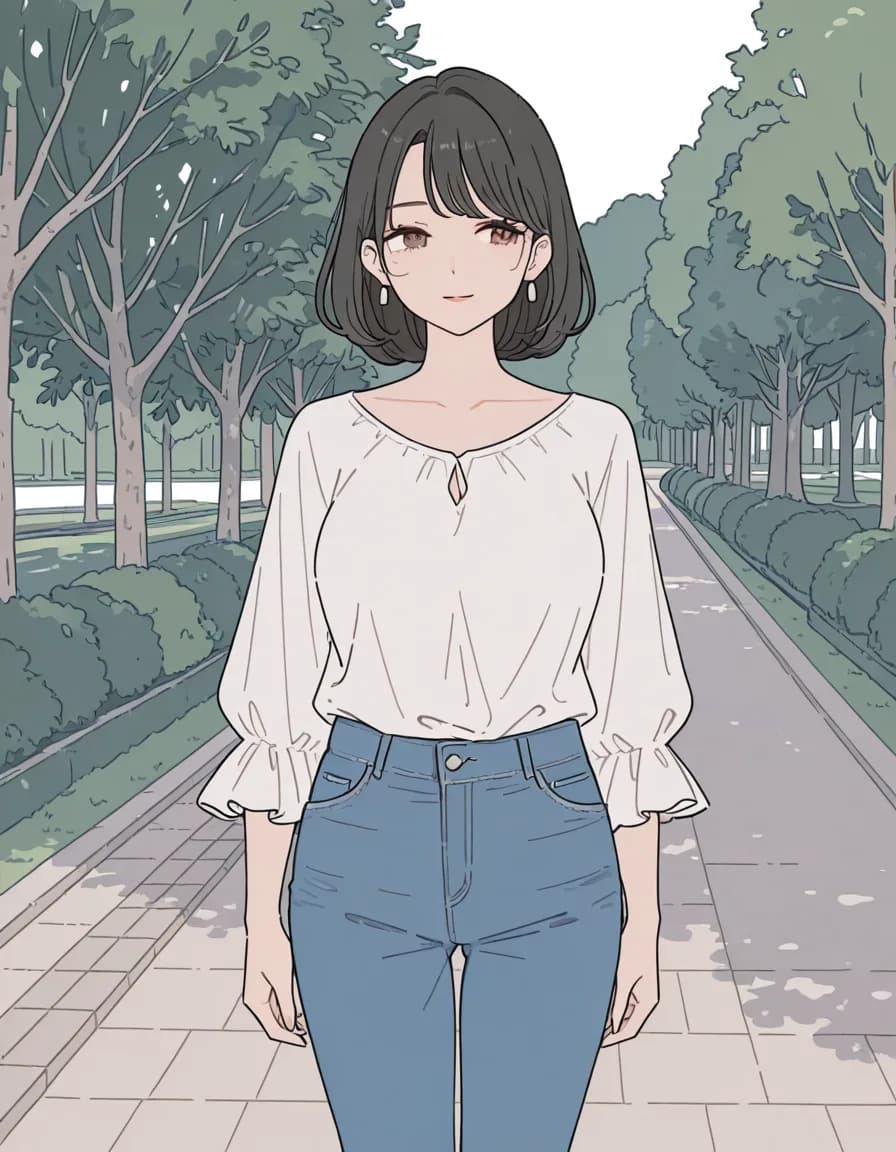
flat colorFlat color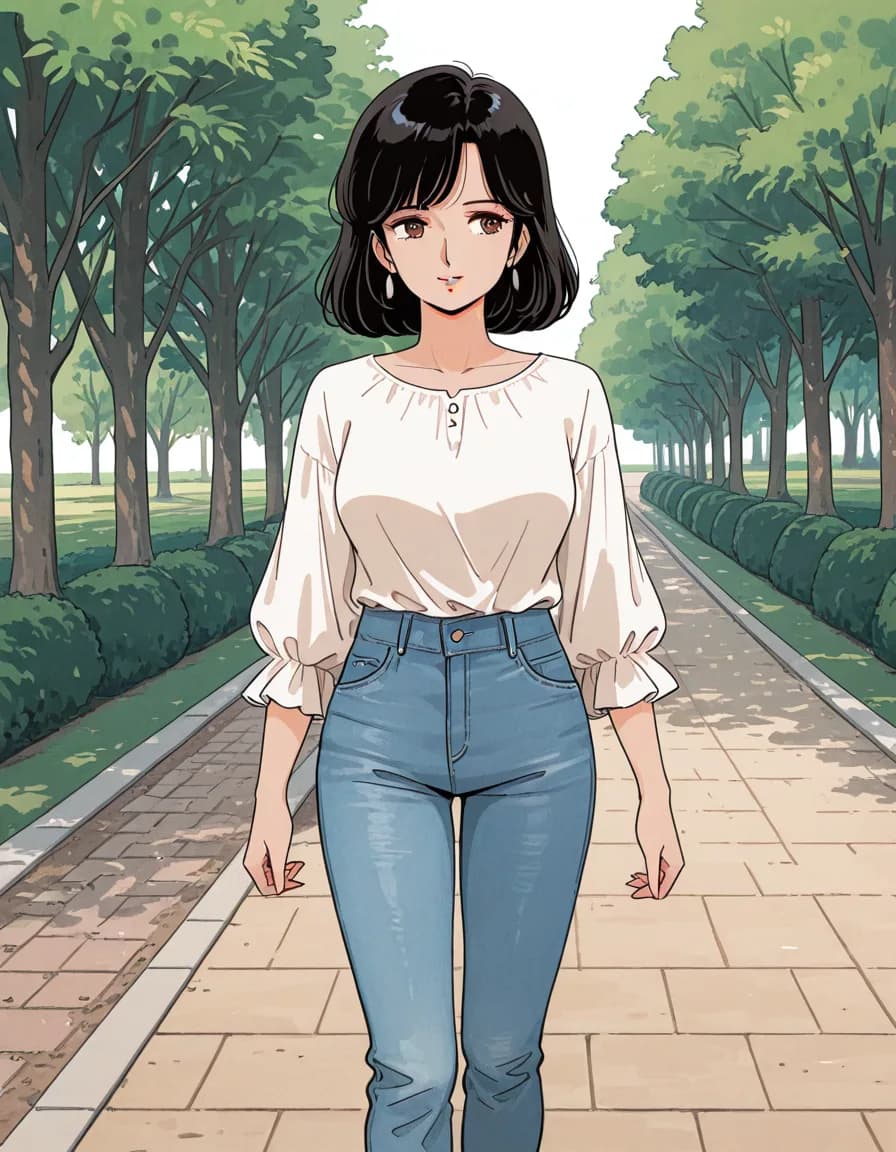
1980s (style)1980s styleShared prompt
1girl, solo, mature female, adult woman, short black hair, brown eyes, white blouse, blue jeans, standing, park path, <tag slot>
Negative prompt
school uniform, pleated skirt, blazer, serafuku, child, loli, teenage, bad quality, worst quality, worst detail, censor, jpeg artifacts, watermark, signature, text, extra limbs, bad hands, bad anatomy
Model
rinFlanimeIllustrious_v30 · euler_ancestral/normal · steps 28 · CFG 5 · 896×1152 · seed 777003
This comparison was measured on a single Stable Diffusion family checkpoint. The same tags can behave differently on NovelAI, Midjourney or another checkpoint — read it as a reference point, not a verdict.
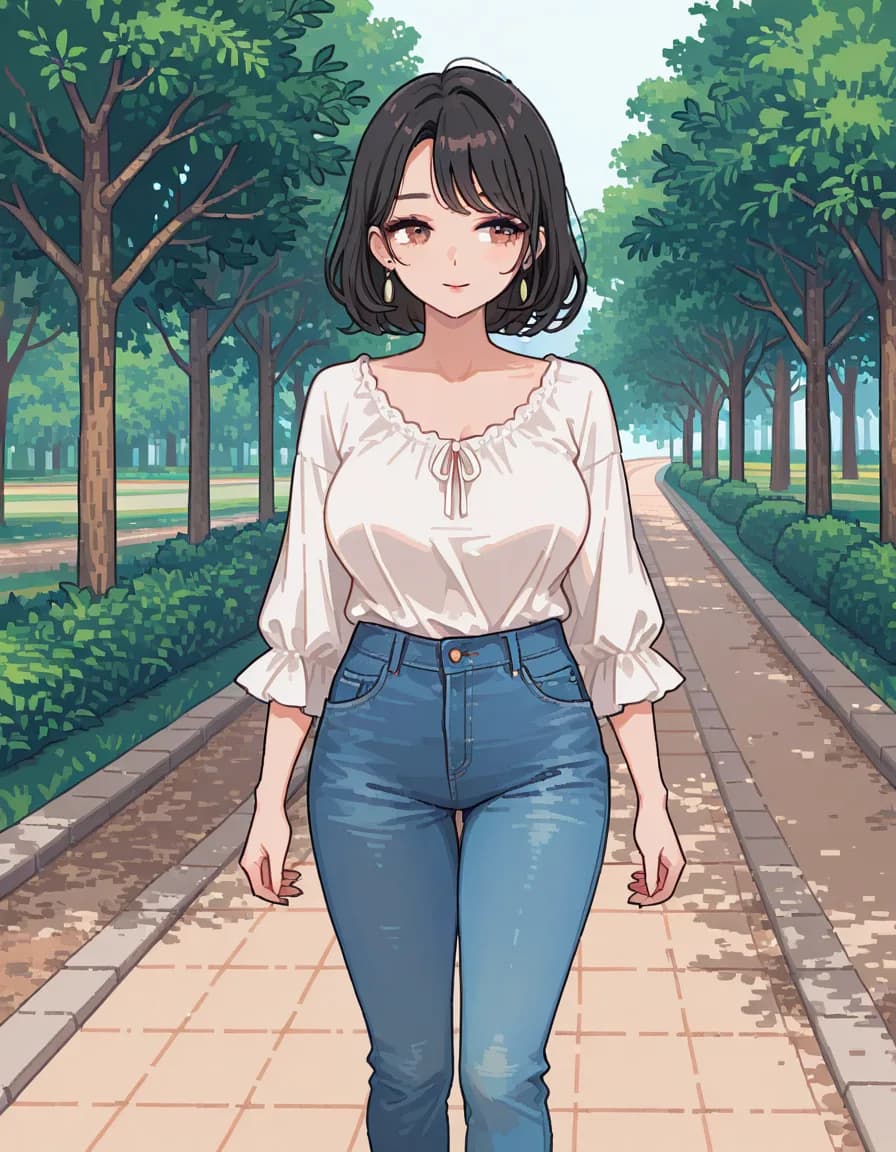
pixel artPixel art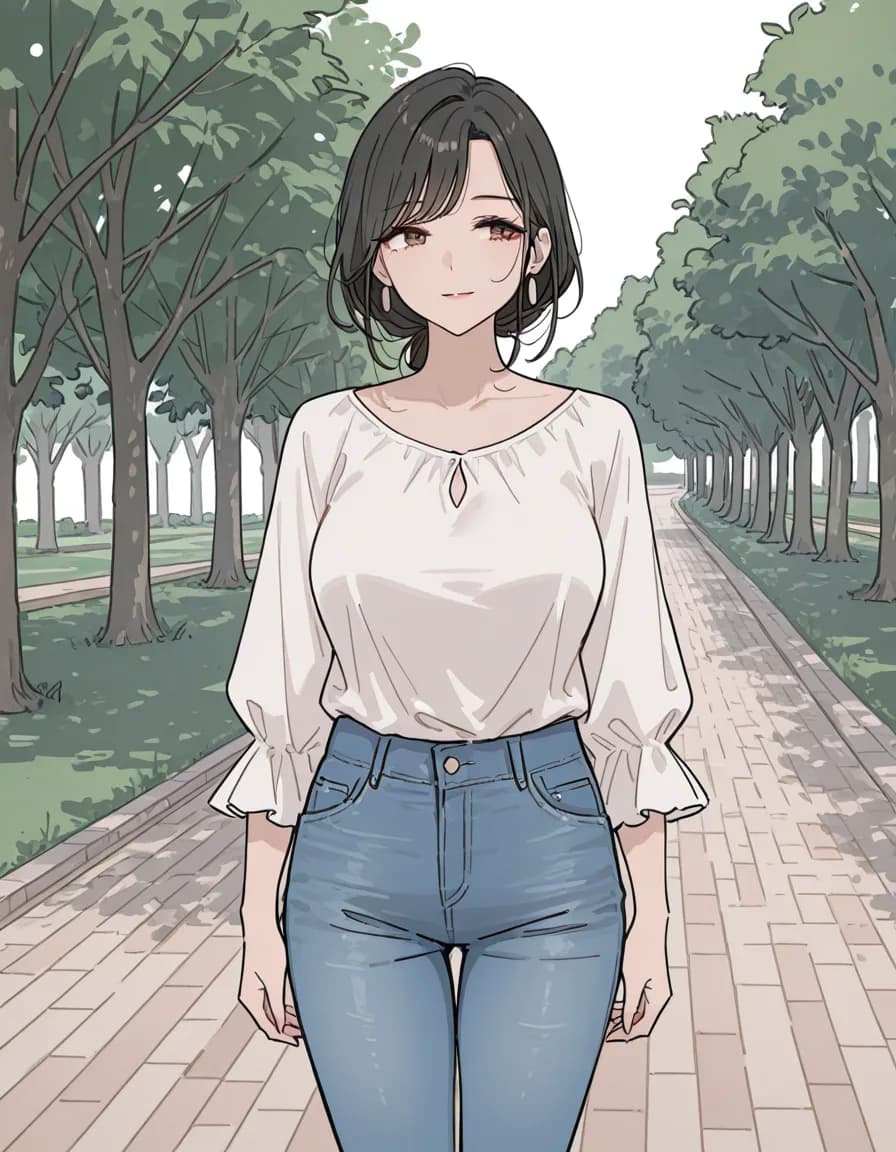
sketchSketch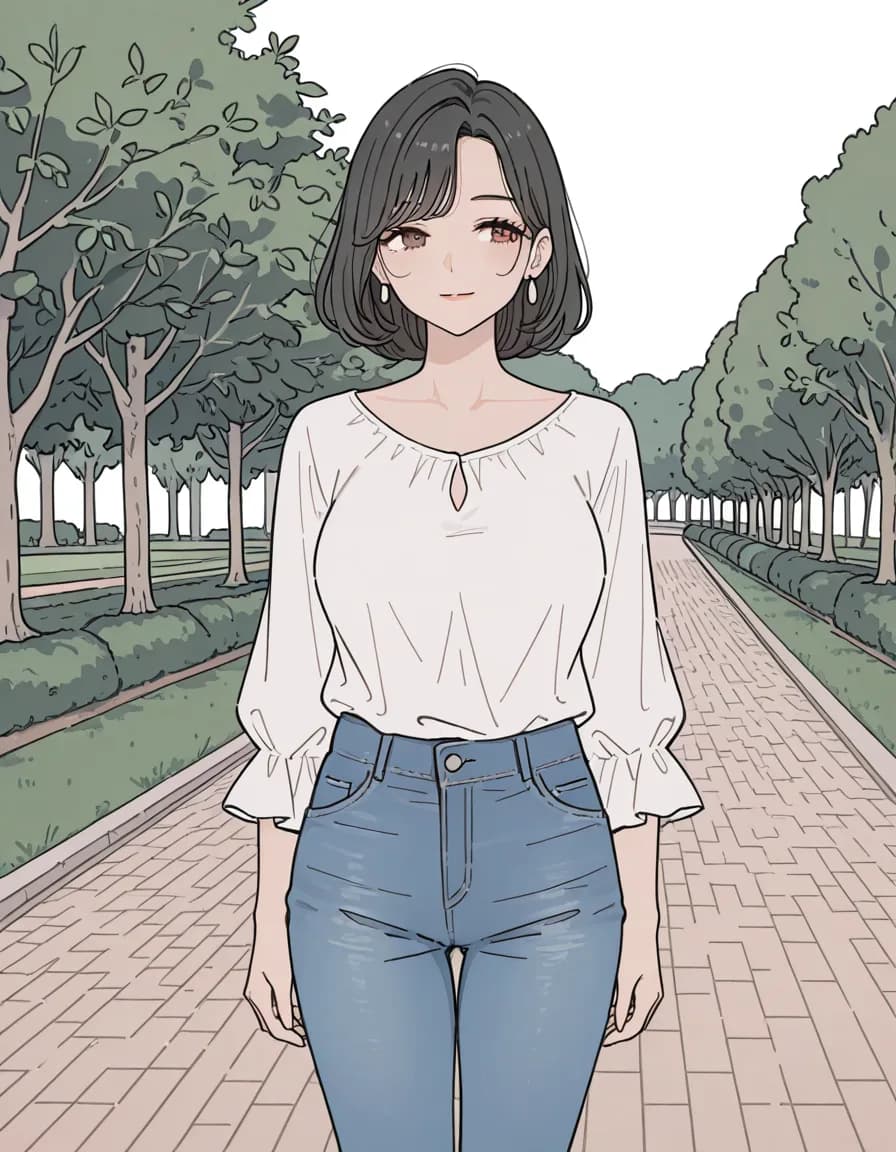
lineartLineart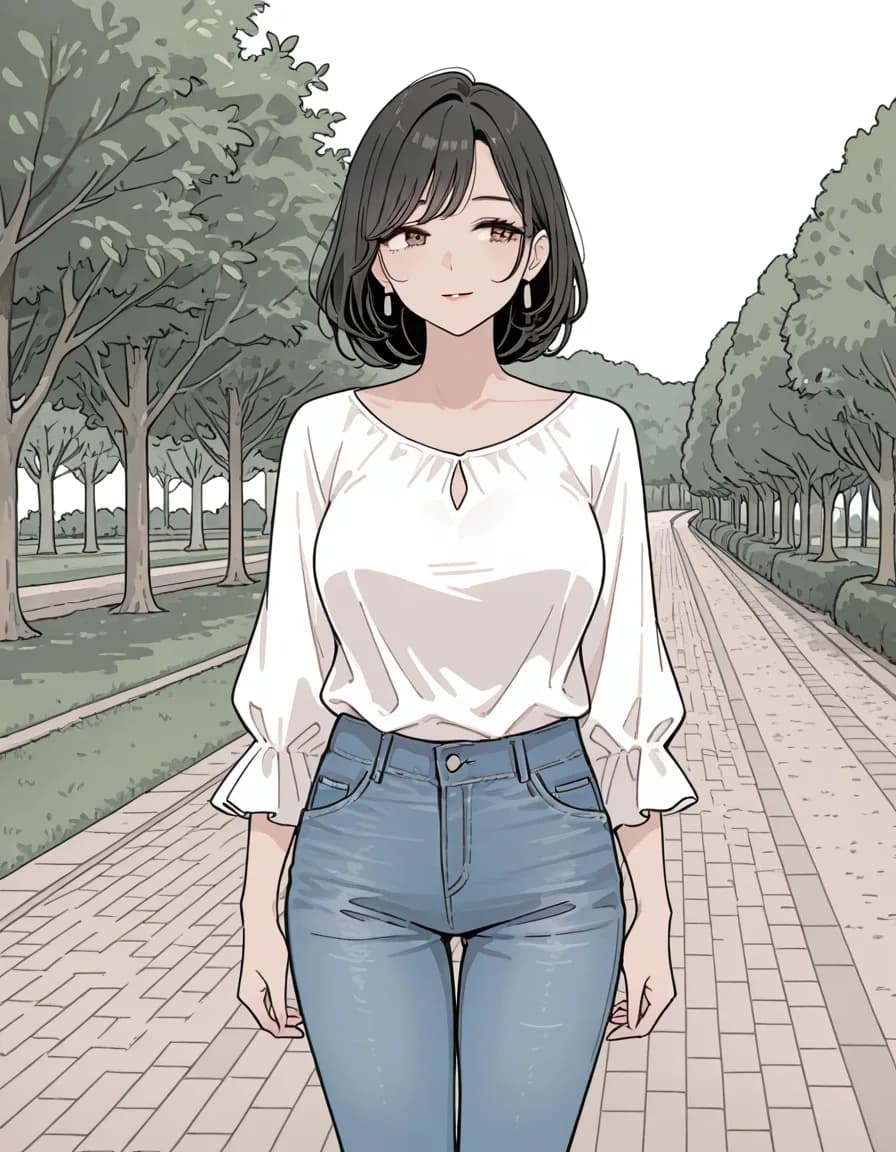
monochromeMonochromeShared prompt
1girl, solo, mature female, adult woman, short black hair, brown eyes, white blouse, blue jeans, standing, park path, <tag slot>
Negative prompt
school uniform, pleated skirt, blazer, serafuku, child, loli, teenage, bad quality, worst quality, worst detail, censor, jpeg artifacts, watermark, signature, text, extra limbs, bad hands, bad anatomy
Model
rinFlanimeIllustrious_v30 · euler_ancestral/normal · steps 28 · CFG 5 · 896×1152 · seed 777003
This comparison was measured on a single Stable Diffusion family checkpoint. The same tags can behave differently on NovelAI, Midjourney or another checkpoint — read it as a reference point, not a verdict.
3. Camera Angle & Framing Tags
Camera angle tags are one of the most under-used levers. A single angle tag can turn a boring frontal shot into cinematic composition, without changing any other part of the prompt.
from_above — high angle looking down. Makes subjects appear small, vulnerable, or cute. Great for chibi, tabletop, flat-lay shots.
from_below — low angle looking up. Creates a sense of grandeur, power, intimidation. Used in hero shots, fantasy warriors, tall architecture.
close-up / extreme_close-up — face or detail focus. Best paired with detailed_eyes.
wide_shot / establishing_shot — shows the full scene. Sacrifices subject detail for atmosphere; pair with a strong background tag.
dutch_angle — tilted frame. Adds tension, disorientation, dynamism. A quick way to turn a static pose into a cinematic moment.
over_the_shoulder — behind-the-subject frame. Common in dialogue scenes, POV sequences.
📐 Angle / Shot — Tag examples
close-up — Close-up
4. Recommended Combinations
High-quality Anime
masterpiece, best quality, absurdres, anime, detailed_faceRealistic Portrait
masterpiece, best quality, 4k, realistic, photorealistic, detailed_skin, sharp_focusDetailed Illustration
masterpiece, amazing quality, super_detail, intricate_details, illustration, sharp_lineartCinematic Landscape
masterpiece, 8k_wallpaper, cinematic_composition, wide_shot, volumetric_fog, golden_hour, depth_of_field5. Model-Specific Quality Tokens
Generic quality tags work across most models, but the top-tier results often require model-specific tokens the authors baked in during fine-tuning. Using the wrong set doesn't just miss the boost — it can actively confuse the model.
SD 1.5 / SD 2.x base
Generic: masterpiece, best_quality, highres. These are the safest defaults on untuned base models.
SDXL fine-tunes (Juggernaut, RealVisXL)
Realistic fine-tunes respond well to masterpiece, best_quality, 4k, ultra_detailed, sharp_focus. Avoid anime-specific quality tokens here — they push the output toward illustration and fight with realistic tags.
Pony Diffusion (v6 / v7)
Pony uses numeric score tokens: score_9, score_8_up, score_7_up. Include all three at the start. Standard masterpiece tags have weaker effect than on other models — the score tokens are the primary quality lever.
NovelAI v3 / v4
NovelAI responds strongly to masterpiece, best_quality, amazing_quality combined with Danbooru-style subject tags. NovelAI v4 adds its own prompt weight braces ({tag}) which you apply in the NAI UI after copying.
Flux / SD 3.x
Newer transformer-based models care less about explicit quality tags. Focus on descriptive subject and style; a short masterpiece, highly detailed prefix is usually enough.
Midjourney v6 / v7
Midjourney prefers natural-language prompts. Instead of quality tags, use modifiers at the end: --stylize 500 --quality 2 --ar 2:3. Copy Promgrammer's tag prompt, rewrite the subject as a sentence, and append these flags.
6. Resolution vs Aspect Ratio
Resolution tags (4k, 8k, highres) and aspect ratio are often confused, but they do different things. Resolution tags nudge the model toward rendering more detail; aspect ratio determines the frame shape and is set outside the prompt in your generator's UI.
The two interact: a square output handles full_body poses poorly because the character gets cropped at head and feet. Portrait aspect (2:3, 3:4, 9:16) is almost always better for standing characters. Landscape aspect (16:9, 3:2) is better for environment shots. Set the aspect ratio to match your subject type before tuning tags — it's a bigger visual lever than any single quality token.
Quick aspect ratio guide
1:1— Icons, album covers, mobile-first feeds2:3 / 3:4— Portrait, character full body, standing poses9:16— Mobile wallpapers, vertical video covers3:2 / 16:9— Landscapes, environments, desktop wallpapers21:9— Ultra-wide cinematic scenes
7. Composition Techniques via Tags
Classical composition rules (rule of thirds, leading lines, depth layers) can be nudged via prompt tags — not perfectly, but enough to change the frame in predictable ways.
- Depth of field.
bokeh, depth_of_field, shallow_focuspush the background out of focus and emphasize the subject. Almost always improves portraits. - Leading lines.
leading_lines, perspective, vanishing_pointwork well in architectural or landscape shots, guiding the eye toward the subject. - Foreground / midground / background. Combine tags like
foreground_flowers,midground_subject,distant_mountainto build depth layers explicitly. - Negative space.
minimalist_composition, negative_spacefor clean, modern looks with lots of empty frame around the subject. - Symmetry.
symmetrical_composition, centered_compositionfor architectural shots, portraits, or ceremonial subjects.