Skin tone
Do skin-tone tags move in steps?
Skin is the largest single-tone area in the frame, so one step off changes the whole read of a figure.
Every cut below shares one seed, one base prompt and one sampler setting, and differs only by the tag marked in amber.


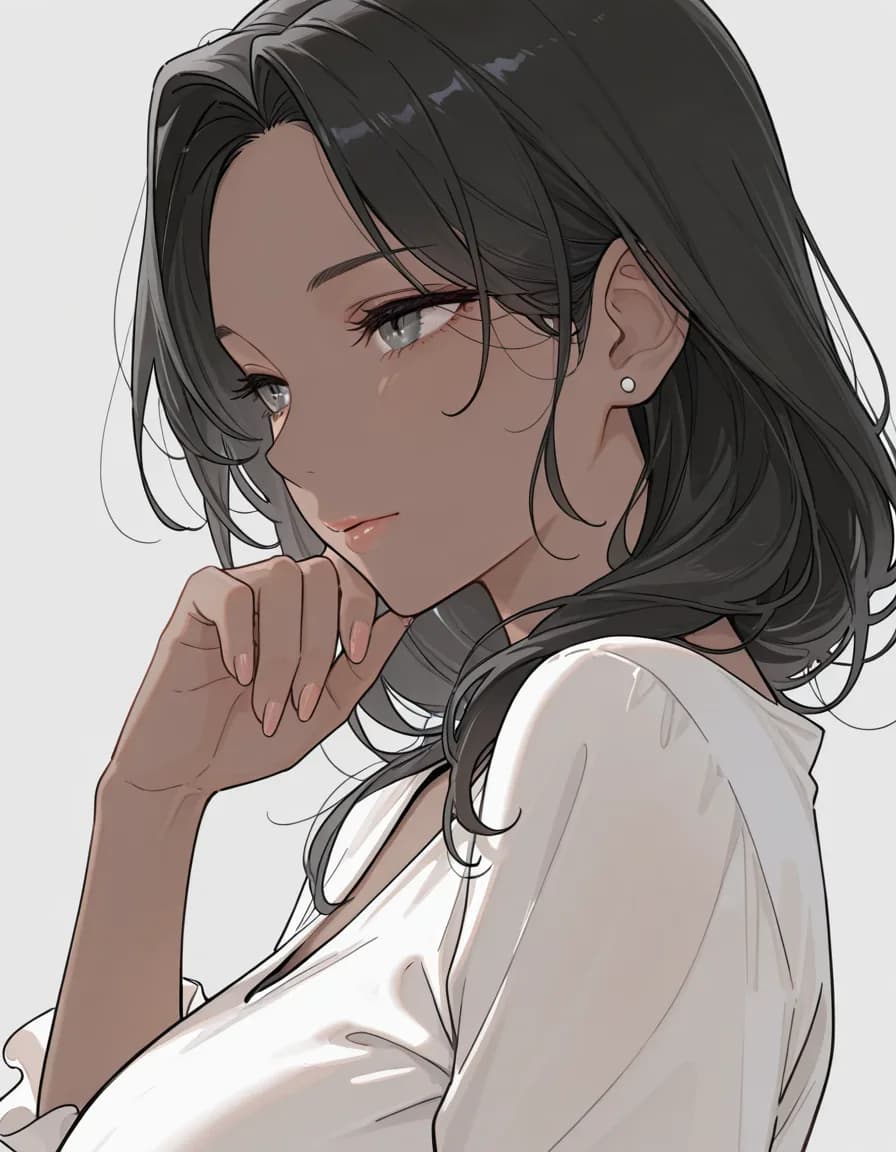

What each cut shows
Pale skin- Light and cool, lower in saturation than the default.
Tan- A step darker and warmer.
Dark skin- The darkest step; the value drops clearly.
Tanlines- Asks for tan lines and delivers only the tone — the clothing leaves nowhere for the lines to show.
How these were made
Shared prompt
masterpiece, best quality, amazing quality, very awa, 1girl, solo, mature female, adult woman, short black hair, white blouse, portrait, plain grey background, soft lighting, <tag slot>
Tap a tag to carry it over to the builder
Negative prompt
nsfw, 1girl, nude, topless, bikini, swimsuit, lingerie, underwear, cleavage, suggestive, school uniform, pleated skirt, child, loli, teenage, bad quality, worst quality, worst detail, censor, jpeg artifacts, watermark, signature, text, extra limbs, bad hands, bad anatomy
Model
rinFlanimeIllustrious_v30 · euler_ancestral/normal · steps 28 · CFG 5 · 896×1152 · seed 777051
Takeaway
The three tones work in order, holding their sequence by value just as the colour tags do.
How far this result reaches
A lighting tag buries these differences; judging skin tone needs neutral light.
Measured on a single Stable Diffusion family checkpoint. The same tags can behave differently on NovelAI, Midjourney or another checkpoint. This is a reference point, not a verdict.